

I've been a Pro subscriber for many months, and there has always been a Screen Record button on the home screen that I use to start screen recordings.
After updating to the latest version on iOS, that option is no longer there.
Did the screen recording feature move to a different location, or has it been removed altogether? If it's still available, I'd appreciate it if someone could point me in the right direction.
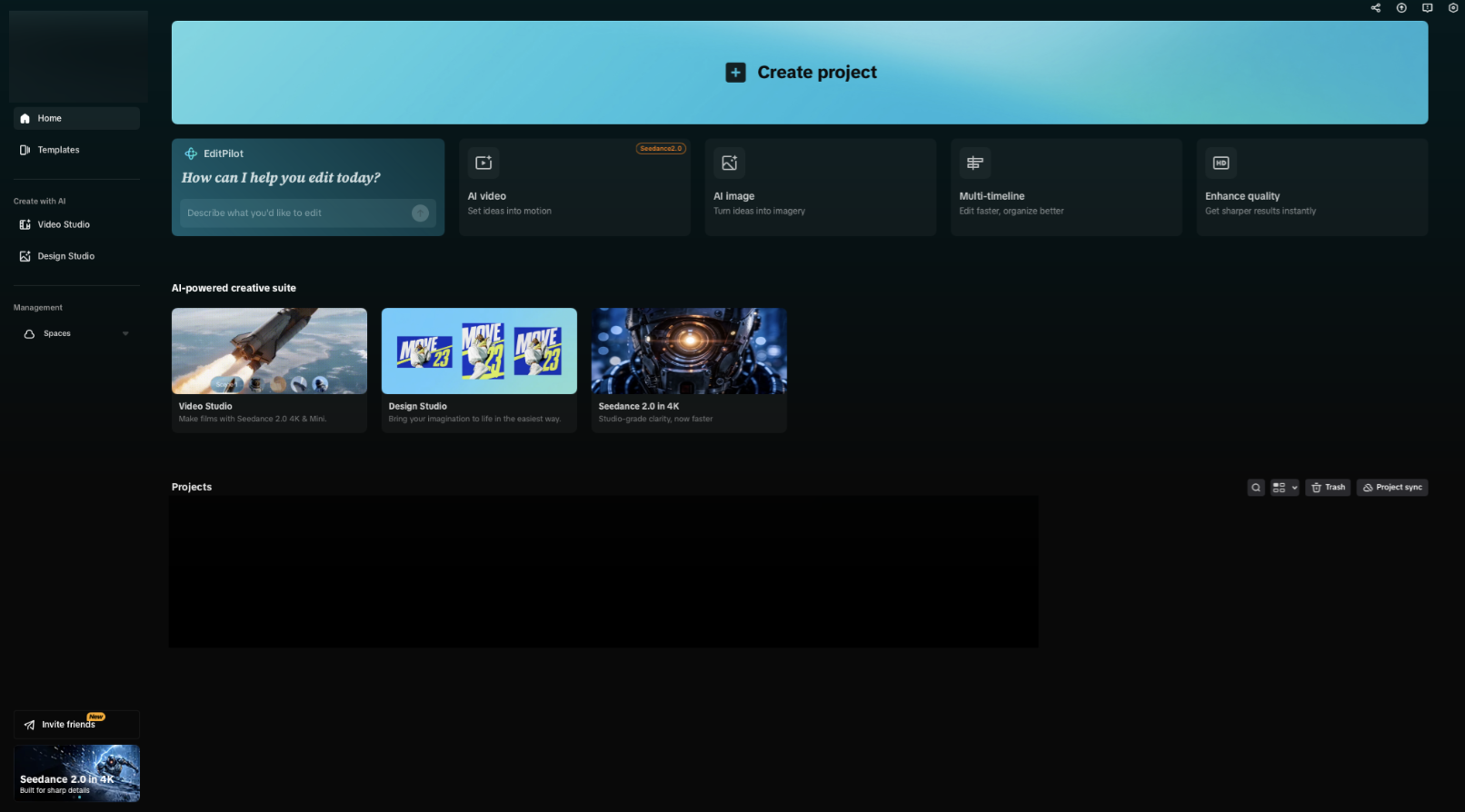

Hi,
From what you've described, and based on the current version of CapCut, it appears that the dedicated Screen Record shortcut has been removed from the Home screen in a recent update rather than simply relocated.
CapCut's current feature listings also no longer mention an in-app screen recording tool, instead focusing on editing, AI creation, and media import.
A few things you can check:
- Tap "Create project" and see if there's an Import or Record option after creating a new project. On some versions, recording features are only available from within a project.
- Check the "+" or camera icon inside a project to see if a screen recording option is nested there.
- If you only need to capture your screen, use iOS's built-in Screen Recording:
- Go to Settings → Control Center and add Screen Recording if it isn't already there.
- Open Control Center and tap the Screen Record button.
- The recording will be saved to the Photos app, where you can then import it into CapCut for editing.
Looking at your screenshot, I don't see a Screen Record tile on the Home screen and only options like AI video, AI image, Multi-timeline, and Enhance quality. That matches the newer interface where the previous shortcut is no longer present.
If you're using the iPhone/iPad app, could you tell me:
- your CapCut version (Settings → About or from the App Store), and
- your iOS version?
I can check whether the feature was removed for that specific release or if it's just been moved in your version.