

I'm running into an issue when trying to export my video in CapCut.
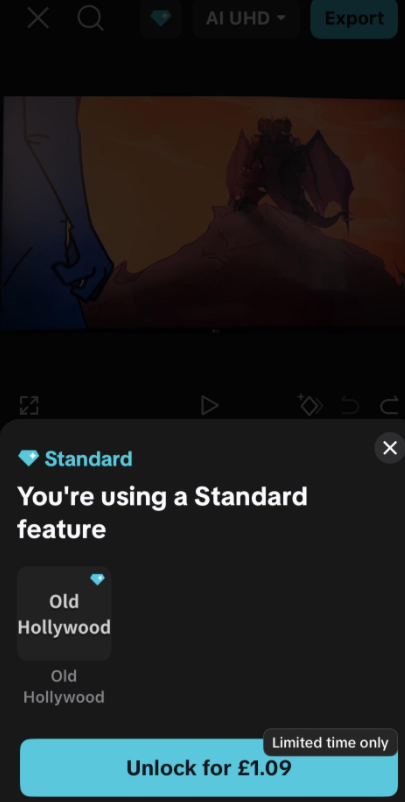
As soon as I press Export, I get a popup saying:
"You're using a Standard feature."
The popup only shows "Old Hollywood", but it doesn't clearly tell me:
- Which asset or effect is causing the issue.
- What category it belongs to (effect, filter, animation, template, etc.).
- Where I can find it in my project so I can remove or replace it.
I've already checked my timeline, but I can't figure out what's triggering the Standard feature warning.
Has anyone experienced this before? Is there a way to identify which specific Standard feature is being used, or locate it within the project?
I've attached a screenshot of the popup for reference.

Hi,
From your screenshot, the popup is telling you that the Standard feature is "Old Hollywood". Unfortunately, CapCut doesn't tell you where it's being used.
In this case, Old Hollywood is most commonly a filter or video effect (depending on the CapCut version and platform), not an animation or export setting.
Here are the best ways to find it:
- Check Filters
- Tap each clip on your timeline.
- Open Filters.
- If you see Old Hollywood applied, remove it or replace it with a free filter.
- Check Effects
- Open the Effects track (if you have one).
- Look for an effect named Old Hollywood and delete it.
- Check Adjustment Layers/Overlay Clips
- If you imported a preset or template, the filter may be applied to an adjustment layer or overlay rather than the main video.
- Select every clip and inspect its Filters and Effects.
- Templates
- If you started from a CapCut template, the filter may be baked into the template. In some cases, you have to replace the filter manually or recreate the project.
Why CapCut doesn't highlight it
Unfortunately, CapCut currently doesn't provide a "jump to asset" button for Standard/Pro features. The export dialog simply lists the premium asset name (like Old Hollywood) without indicating:
- which clip uses it,
- what track it's on,
- or whether it's a filter or an effect.
If you still can't find it
Try these:
- Temporarily disable all filters on your clips.
- Then disable Effects one by one.
- Attempt an export after each change to see when the warning disappears.
Are you using:
- CapCut Mobile (Android/iPhone), or
- CapCut Desktop (Windows/Mac)?
Also, did you start this project from scratch or from a CapCut template? That changes where "Old Hollywood" is most likely to be hiding.