

Hi everyone,
I'm having an issue updating CapCut. Every time I try to install the latest update, I get the following error message:
"Couldn't update the new version. Try again."
I've tried updating multiple times, but it keeps failing with the same error.
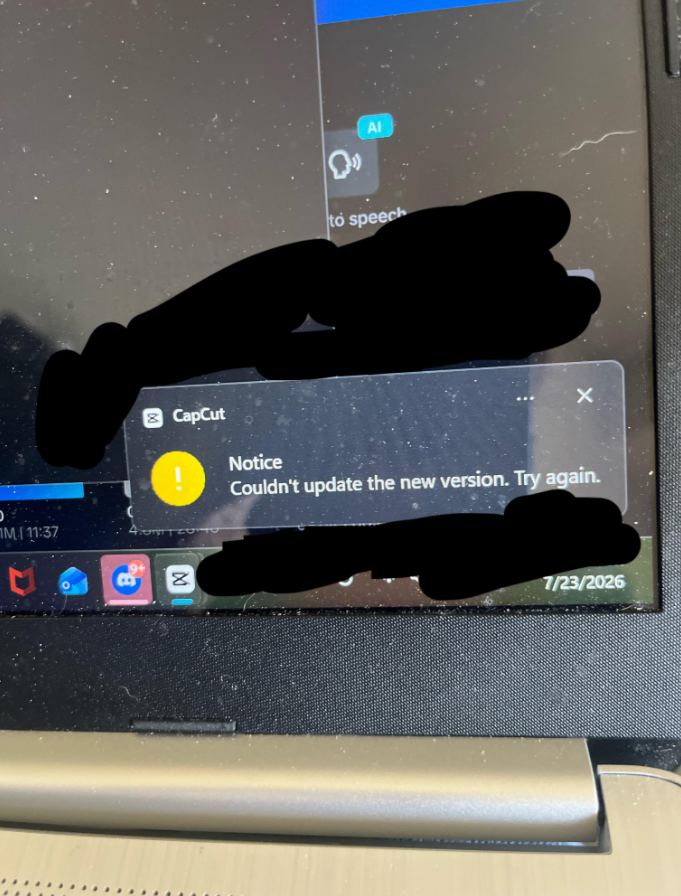
Has anyone else experienced this issue? If so, were you able to fix it? Any suggestions or troubleshooting steps would be greatly appreciated.
Thanks in advance!

Hi,
From your screenshot I can see that CapCut is showing:
"Couldn't update the new version. Try again."
This is generally caused by one of these issues:
- The current CapCut process is still running.
- The updater doesn't have permission to replace the old files.
- Antivirus or Windows Defender is blocking the update.
- The downloaded update is corrupted.
- There isn't enough free disk space.
Try these fixes in order
1. Close CapCut completely
- Exit CapCut.
- Press Ctrl + Shift + Esc to open Task Manager.
- End every CapCut process.
- Try updating again.
2. Run CapCut as Administrator
- Right-click the CapCut shortcut.
- Select Run as administrator.
- Try the update again.
3. Restart your PC
A reboot can release files that are locked by Windows.
4. Check your internet connection
If the updater can't download the installation package completely, it may fail.
5. Temporarily disable antivirus
Sometimes antivirus software blocks CapCut from replacing its files. Disable it briefly, perform the update, then enable it again.
6. Reinstall CapCut (most reliable fix)
If the updater keeps failing:
- Uninstall CapCut.
- Restart your computer.
- Download the latest installer from CapCut's official website.
- Install the newest version.
If you have projects, they're typically stored separately, but it's still a good idea to back them up before uninstalling.
7. Check available storage
Make sure you have at least 2–3 GB of free disk space.
If it still won't update
Please let me know the below details to help you further:
- Which version of Windows are you using? (Windows 10 or Windows 11)
- Did you install CapCut from the Microsoft Store or from the CapCut website?
- Does CapCut open normally, or does it fail every time it tries to update?
- What version of CapCut are you currently using?
With that information, I can help narrow down the exact cause.