

My boss wants us to use the CC SoftEdge font for all of our posts, but I can't seem to find it anywhere outside of CapCut.
It looks similar to the Charli XCX BRAT font, which I've seen people say is based on Arial Narrow or Arial Condensed, but it doesn't look exactly the same.
Is there a way to download the fonts that CapCut includes, or does anyone know where I can find the CC SoftEdge font?

Hi,
The CC SoftEdge font (also known as "CC Soft Edge") is a proprietary, in-app font licensed and provided directly by ByteDance inside CapCut.
Because it is bundled directly within CapCut's closed ecosystem, there is no official, standalone website where you can legally download "CC SoftEdge" as a standard desktop TTF or OTF font file to use in external programs like Photoshop, Canva, or Premiere Pro.
However, there are ways to work around this either by digging into CapCut's local files to grab the raw font file, or by using highly accurate, easily downloadable alternatives.
Method 1: Extraction (The Technical Workaround)
If you are using CapCut for PC (Desktop), CapCut actually downloads the font files locally to your computer's temporary app folders when you use them. You can find and extract the raw font file directly from your system:
On Windows PC:
-
Open CapCut, create a text box, and apply the CC SoftEdge font to download it.
-
Press
Win + Ron your keyboard, type%localappdata%, and hit Enter. -
Navigate to:
Local\CapCut\User Data\Cache\font(or search for the folder namedfontwithin the CapCut directory). -
Inside, you will find files without extensions or with long randomized names. Sort them by Date Modified (to find the one you just downloaded).
-
Copy the most recent file to your desktop and rename its extension to
.ttf(e.g., rename18349fa89...toCC_SoftEdge.ttf). -
Double-click to open and click Install. It will now be available system-wide in all your software!
Method 2: Highly Accurate Alternatives
If your boss needs exact consistency but you are editing outside of CapCut, you can use industry-standard fonts that match the exact same aesthetic.
"CC SoftEdge" is a neo-grotesque sans-serif with heavily rounded/softened terminals (corners). It was popularized by the aesthetic of Charli XCX’s Brat era.
Standard Arial Narrow is too sharp, but the following alternatives are nearly identical and can be downloaded for free:
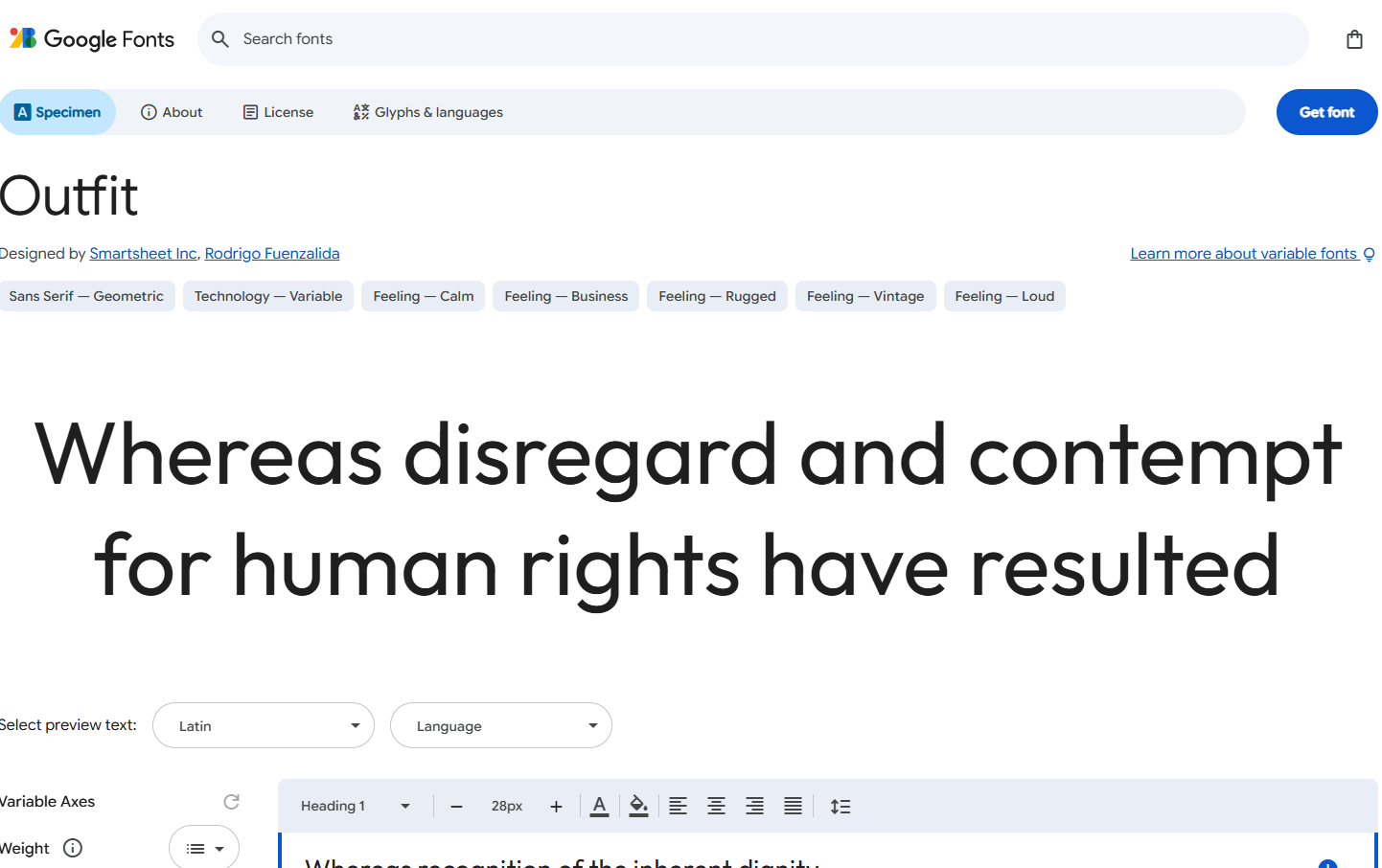
1. Outfit (Google Fonts - Free)
-
Why it works: When styled in its Semi-Bold or Bold weights and set with tight letter-spacing (tracking), Outfit perfectly replicates the smooth, friendly, and geometric "soft edge" look of the CapCut font.
-
License: 100% Free for commercial use.
- Download here
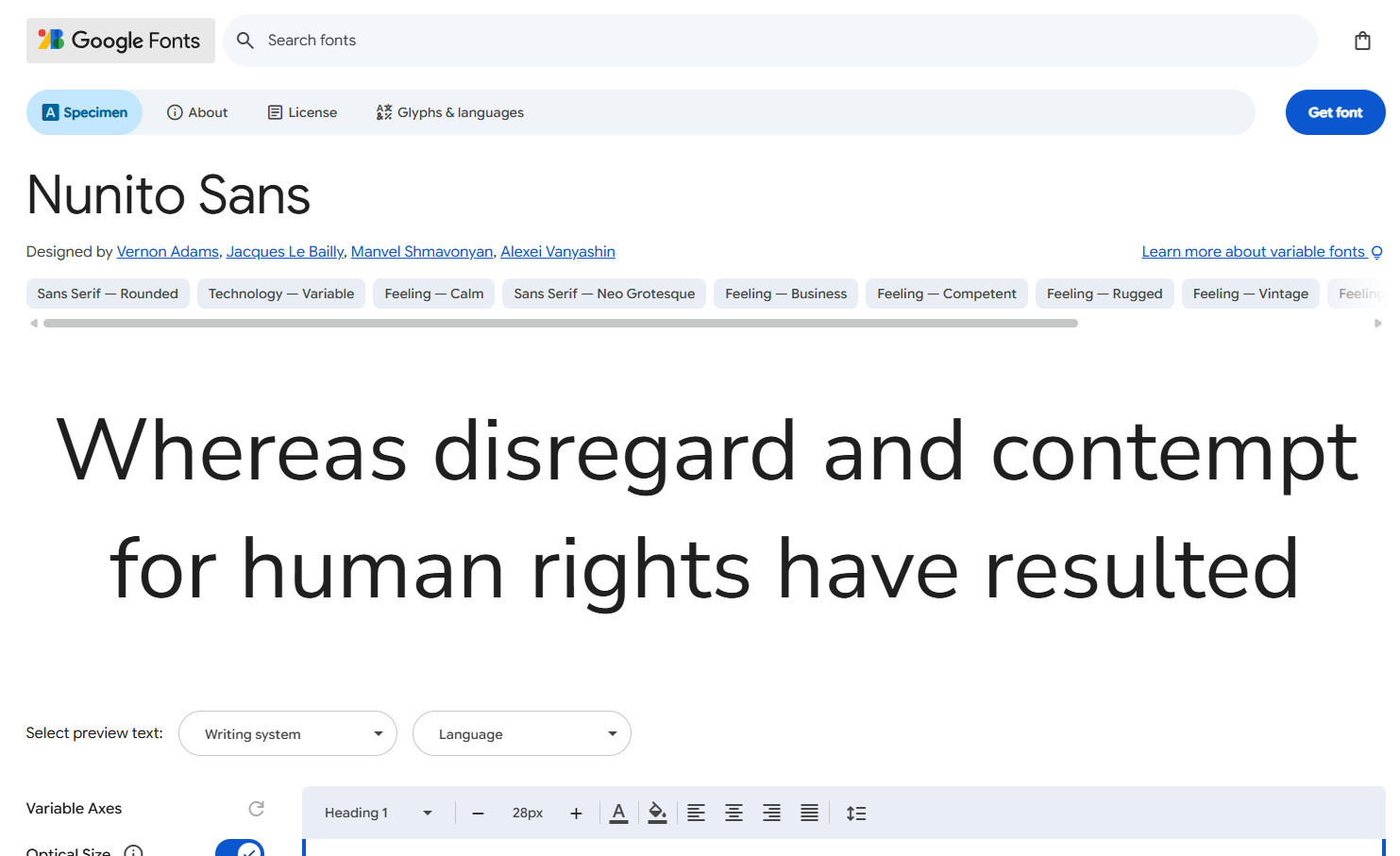
2. Nunito or Nunito Sans (Google Fonts - Free)
-
Why it works: Nunito is famous for its highly polished, rounded-cap look. If you use Nunito Sans (specifically in Bold or Extra-Bold) and compress the character spacing, it is visually indistinguishable from CC SoftEdge in social media posts.
-
License: 100% Free for commercial use.
- Download Here
3. Arial Rounded Bold (Pre-installed on Windows/Mac)
-
Why it works: If you want a quick option that is already on your computer, Arial Rounded Bold has the exact same classic structural shape as regular Arial but features perfectly circular, soft edges.
How to get your boss's approval?
Since you are creating brand posts, it is safest to recommend Nunito Sans Bold or Outfit Bold as your official team fonts.
Explain to your boss that while CC SoftEdge works great for quick video edits inside CapCut, using an official, open-source Google Font like Outfit or Nunito ensures your team can keep the exact same "soft edge" branding perfectly consistent across all platforms (like Canva, Photoshop, and web builders) without running into licensing or software restrictions.