

Every third time I click away from the main track, one of these tutorial pop-ups appears. It's constantly in the way and really interrupts my workflow.
I've tried clicking on it, looking for an X or a way to dismiss it permanently, but nothing seems to work.
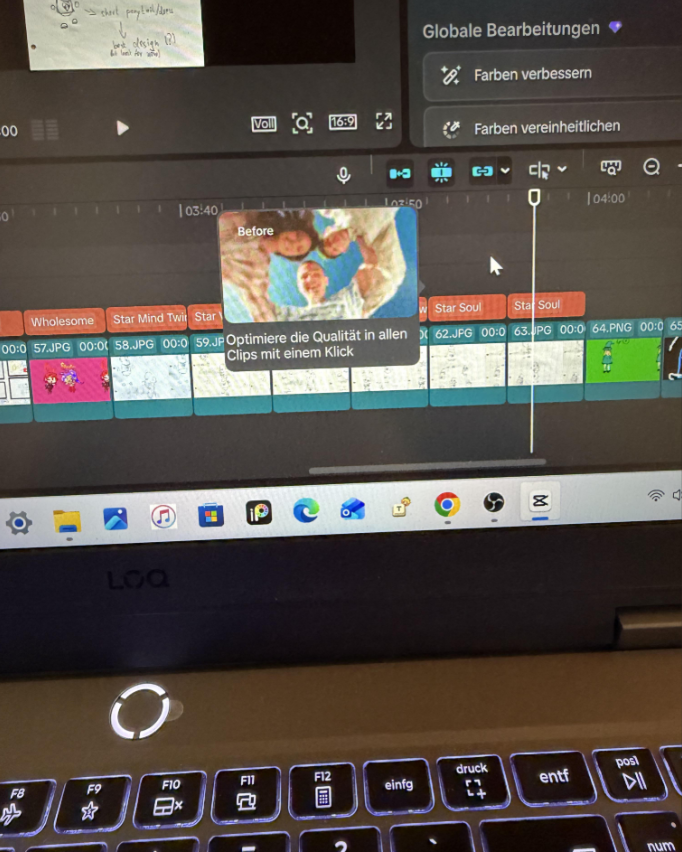
Is there a setting to disable these tutorials, or is there any workaround to stop them from showing up?

Hi,
Unfortunately, no at least not at the moment.
From your screenshot, this is one of CapCut Desktop's contextual AI feature tips ("Optimize quality in all clips with one click").
As far as current versions go, there is no setting to disable these tutorial/tool-tip pop-ups in CapCut Desktop.
The Settings menu doesn't include a toggle for onboarding tips or contextual hints, and CapCut's own help pages don't document such an option.
You are also not the only one experiencing this. There are multiple recent reports from PC users describing the same behavior:
- tutorial cards repeatedly appearing over the timeline,
- no close (×) button,
- no "Don't show again" option,
- interrupting editing every time they deselect a clip.
Things you can try
There isn't a perfect fix, but a few things are worth trying:
- Update CapCut in case a newer release reduces or fixes the frequency.
- Click the suggested feature once (if you're willing). Some onboarding hints disappear after you've opened the feature at least once, although users have noticed that these particular AI suggestions still return.
- Send feedback to CapCut through the in-app Feedback option. Since many users have complained about these overlays, more reports may increase the chance they'll add a "Don't show again" option.
Workarounds
If it's severely affecting your workflow, these are some of the practical workarounds:
- using an older version of CapCut (though this means missing new features and may eventually stop working), or
- switching to another editor if these interruptions become a dealbreaker.
So, based on what's currently known, you're not missing a hidden setting those pop-ups are simply not user-configurable right now.
If you tell me which CapCut version you're running (Help → About or Settings → Version), I can check whether your specific build has introduced any new hidden preference or command-line workaround.