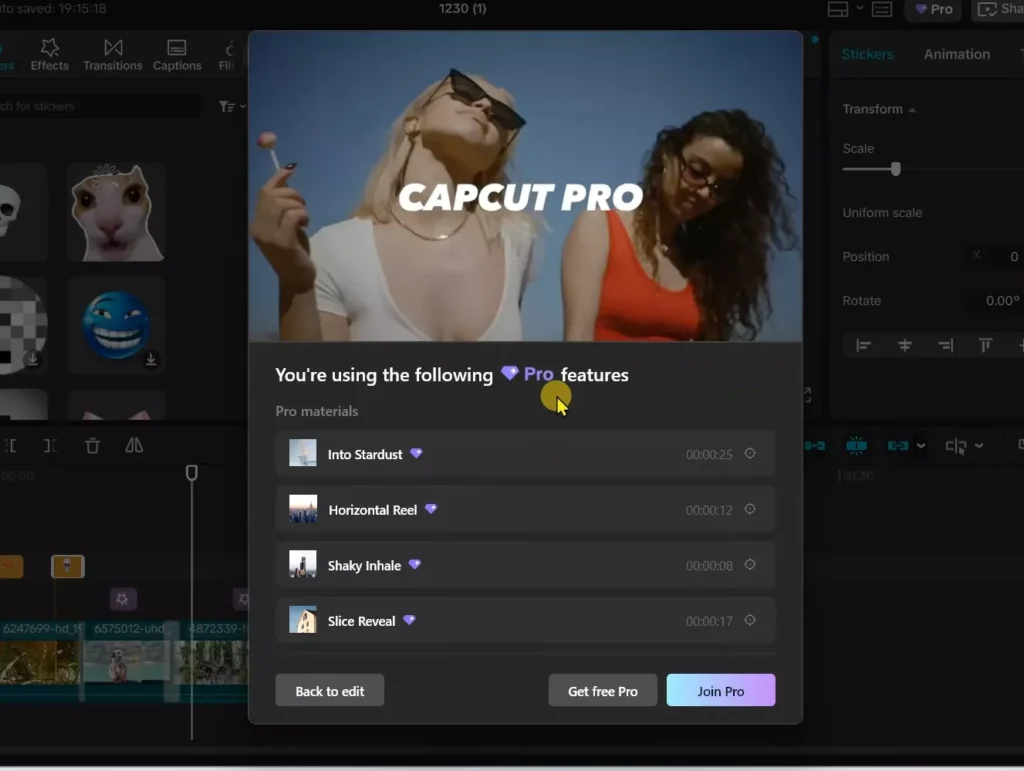
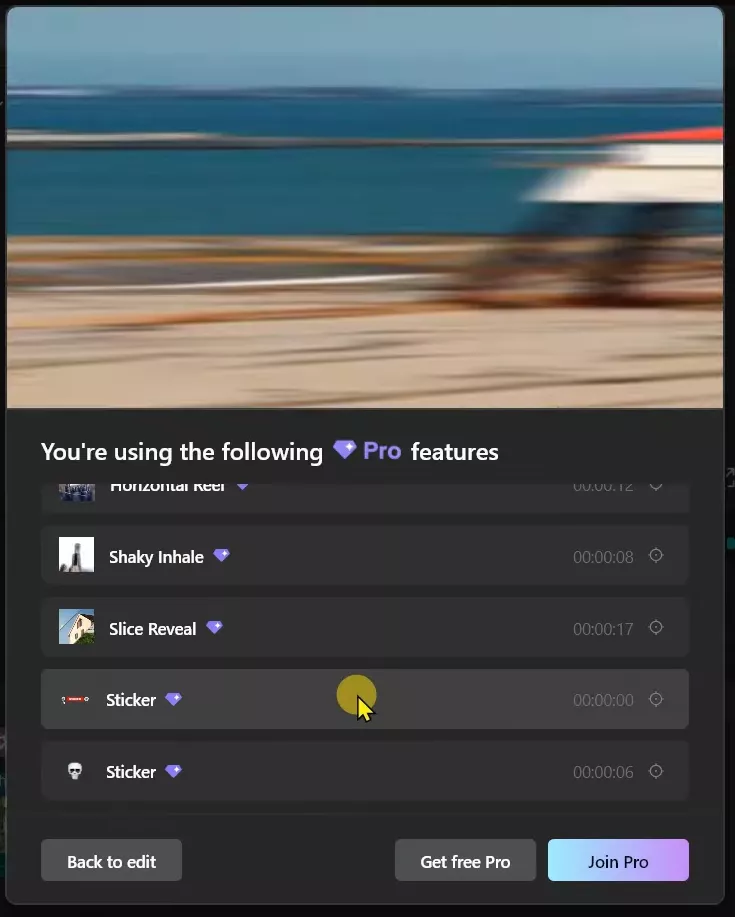
You have spent hours editing that perfect video in CapCut on your PC. Pro transitions glow. 4K effects pop. Premium stickers shine. Then you hit export. Bam—a subscription pop-up blocks you.
It scans your timeline and demands cash for those Pro bits. Frustrating, right? This guide fixes it. No cracks. No hacks. Just a smart, safe way to grab full CapCut Pro access for free.
I will tell you how to trick CapCut’s own system to render everything early. It caches the high-quality file. Later, you export clean. Works every time.
This method taps CapCut’s file handling smarts. The app pre-renders clips in a hidden folder for smooth playback. We use that to bypass the export check. No payment needed. It is legal because you own the features during edits. You just finalize without the paywall.
TLDR – The Whole Method in 60 Seconds
If you just want the win, I have summarized it below for you:
- Change your Windows region to UK or US
- Install CapCut from Microsoft Store
- Connect a VPN (UK/US server)
- Finish your edit using Pro effects
- Select all → Create Compound Clip
- Right-click → Pre-process Compound Clip
- Find the rendered
.mp4in CapCut’s cache folder - Re-import it → Replace Clip
- Export normally — no subscription, no watermark
That’s it. Details below if you want to understand why it works.
Section 1: Resolving Geo-Restrictions and Initial Setup
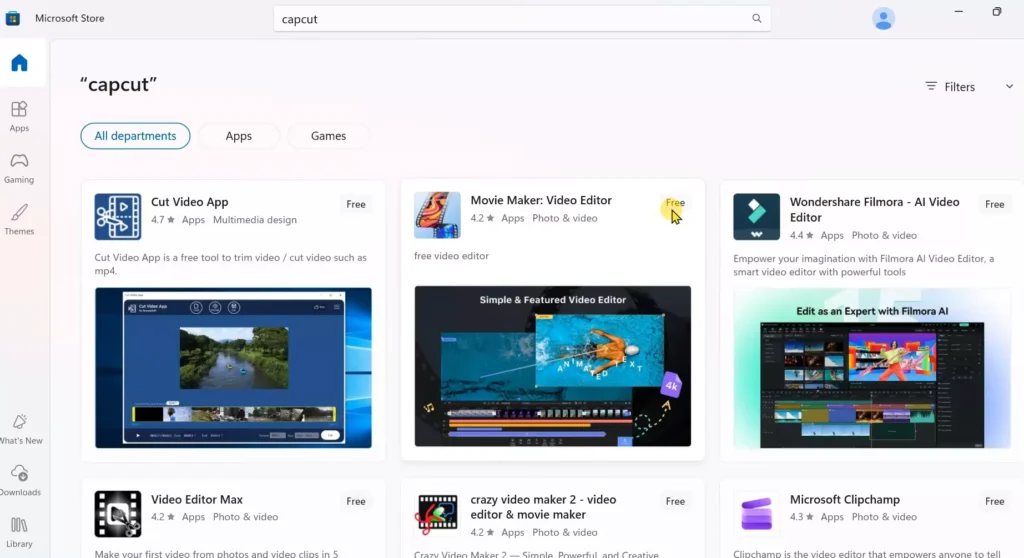
CapCut faces bans in places like India. You can’t grab it from the Microsoft Store there. Or it loads buggy. Change your Windows region first. That unlocks the full app.
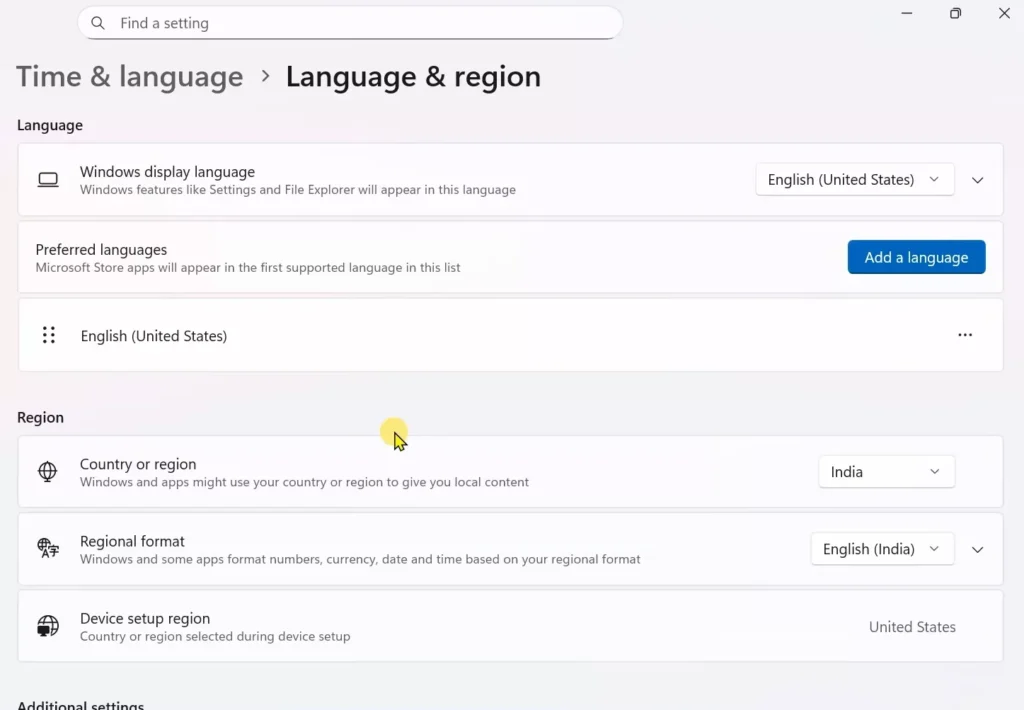
- Click the Windows icon.
- Head to Settings.
- Pick Time and Language.
- Tap Language and Region.
- Under Region, switch from India to United Kingdom or United States.
- UK works best for me.
- Save it.
- Boom—Store now shows CapCut.
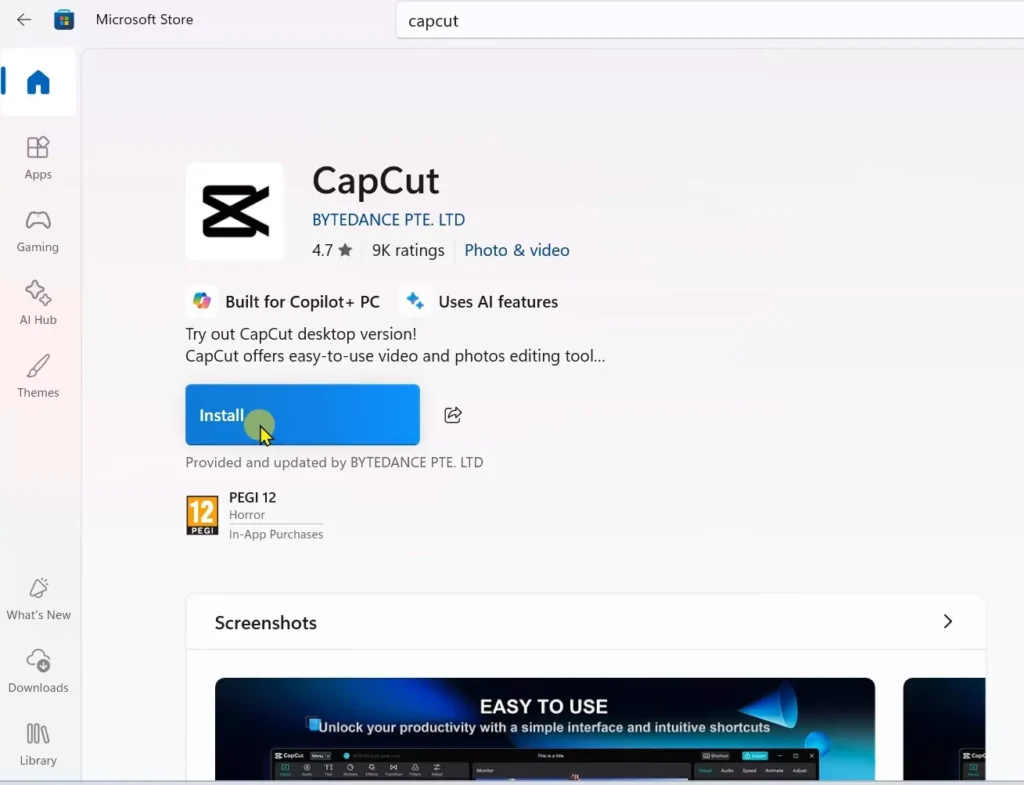
Search CapCut in Microsoft Store. Hit Install. It downloads the latest version.
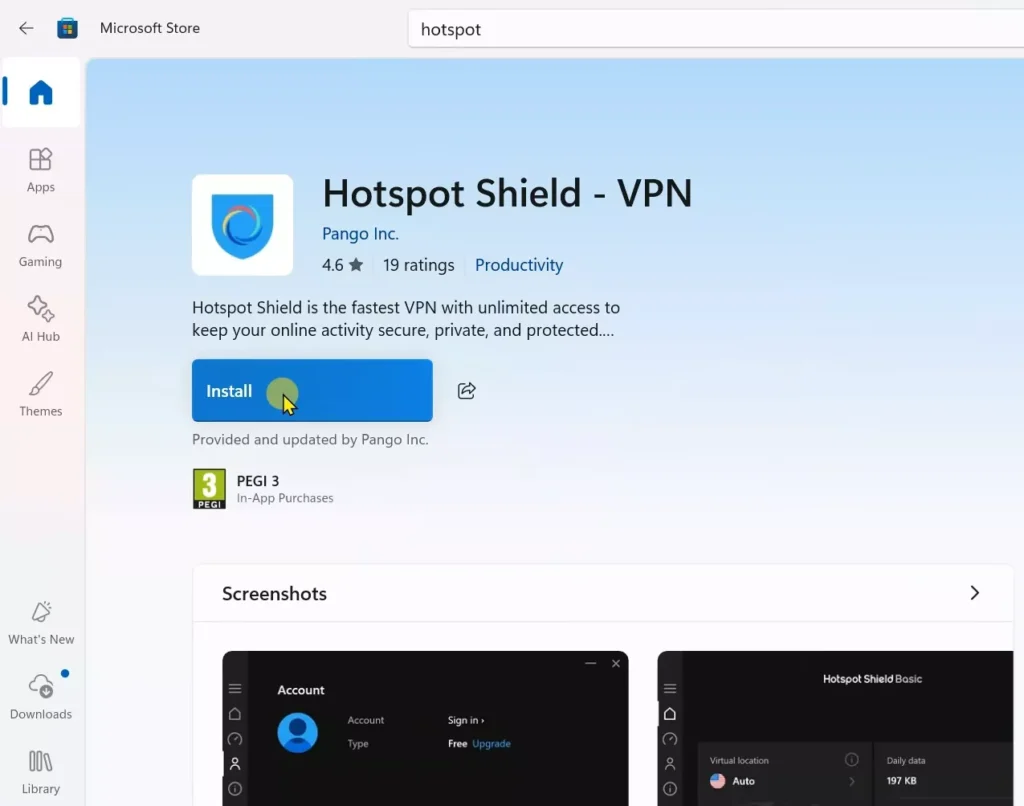
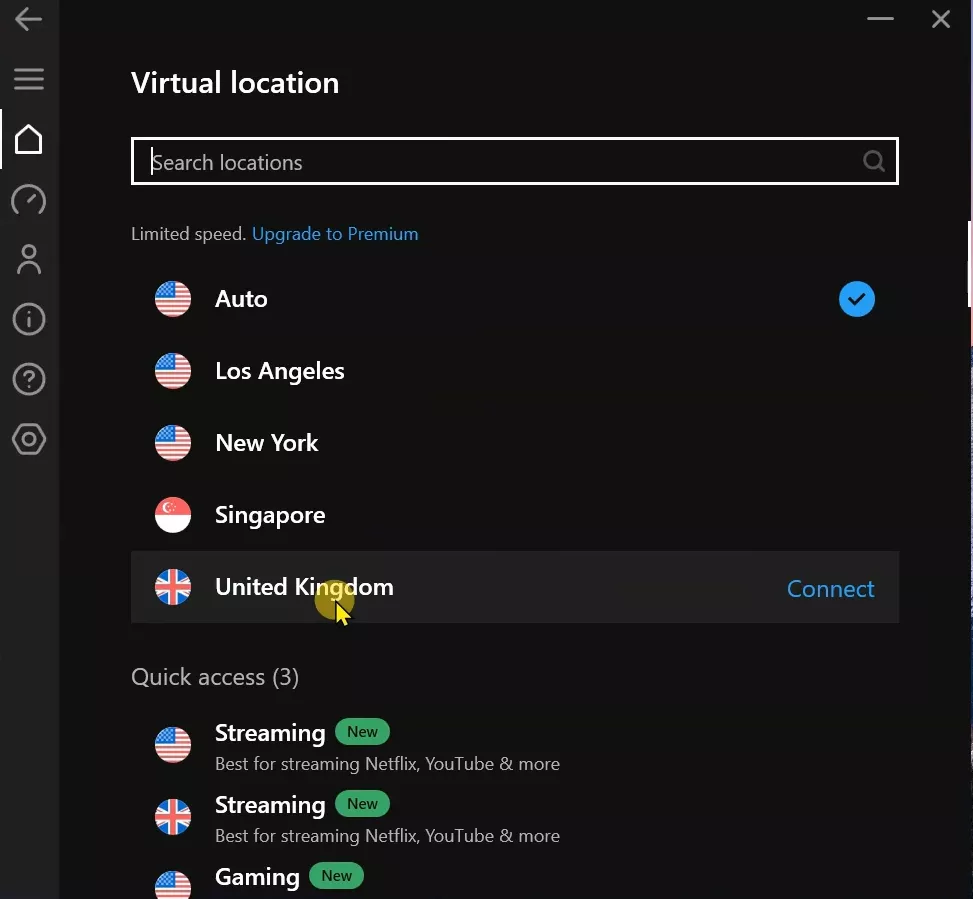
While that runs, grab a free VPN. HotspotVPN does the job for me. Or try any solid free one. Install it quick. These steps clear geo-blocks. Your PC acts like it’s elsewhere.
Section 2: Configuring the VPN for Full Access
VPN stops network errors. CapCut checks your IP. Indian ones trigger fails. Even after install. Connect VPN before launch.
- Open your VPN app.
- Link to UK or US server.
- Wait for the green light.
- Strong connection matters.
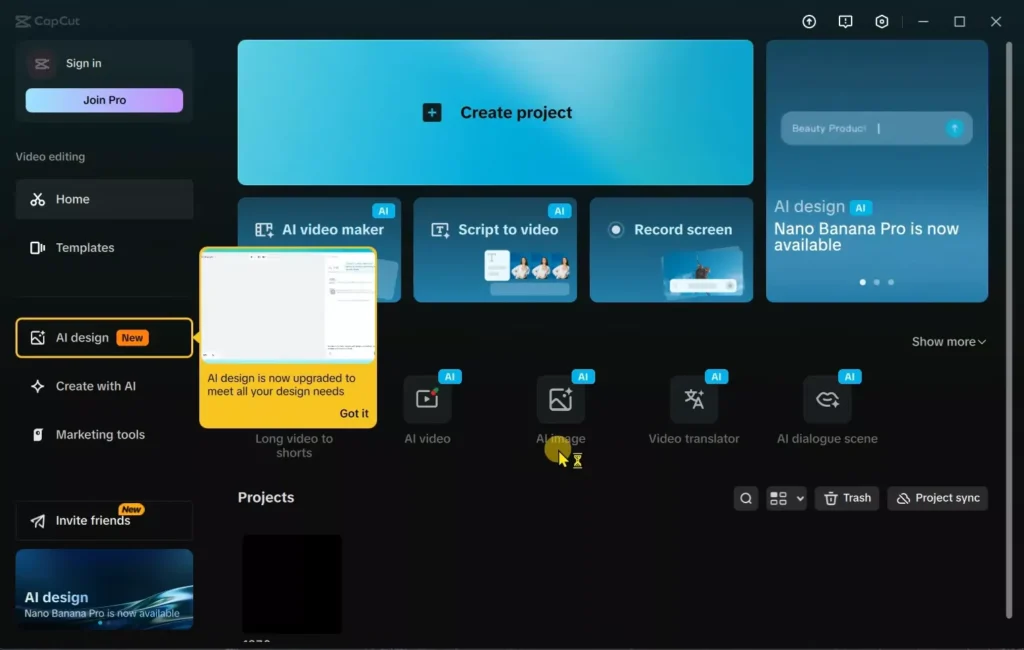
- Now fire up CapCut.
- It loads Pro effects smooth.
- No errors.
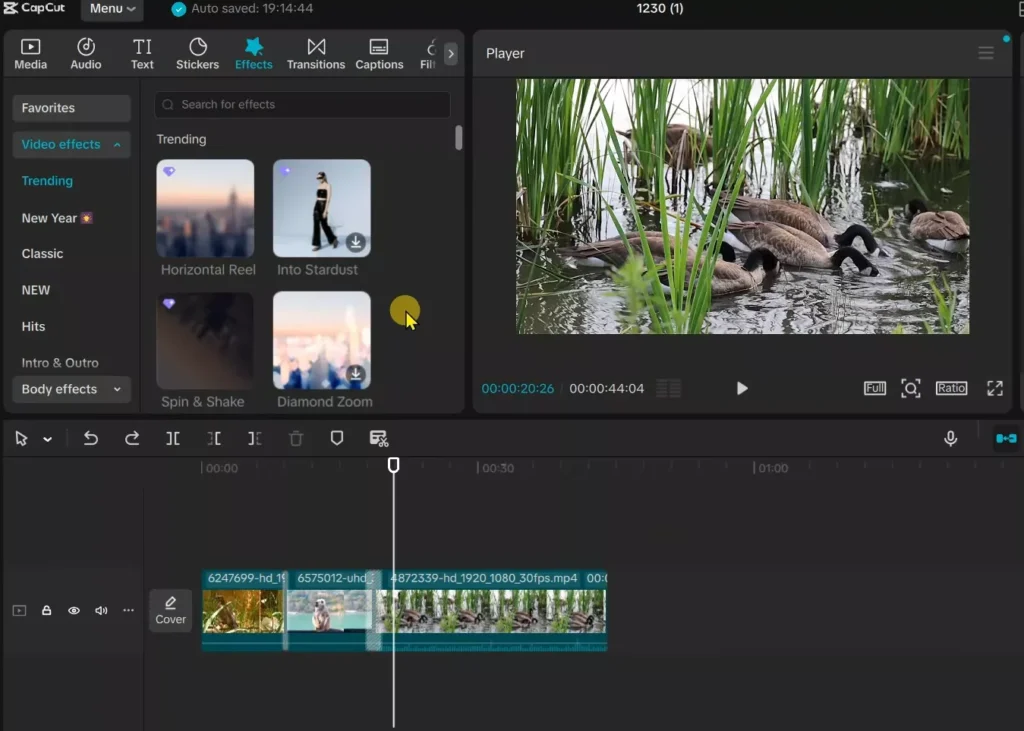
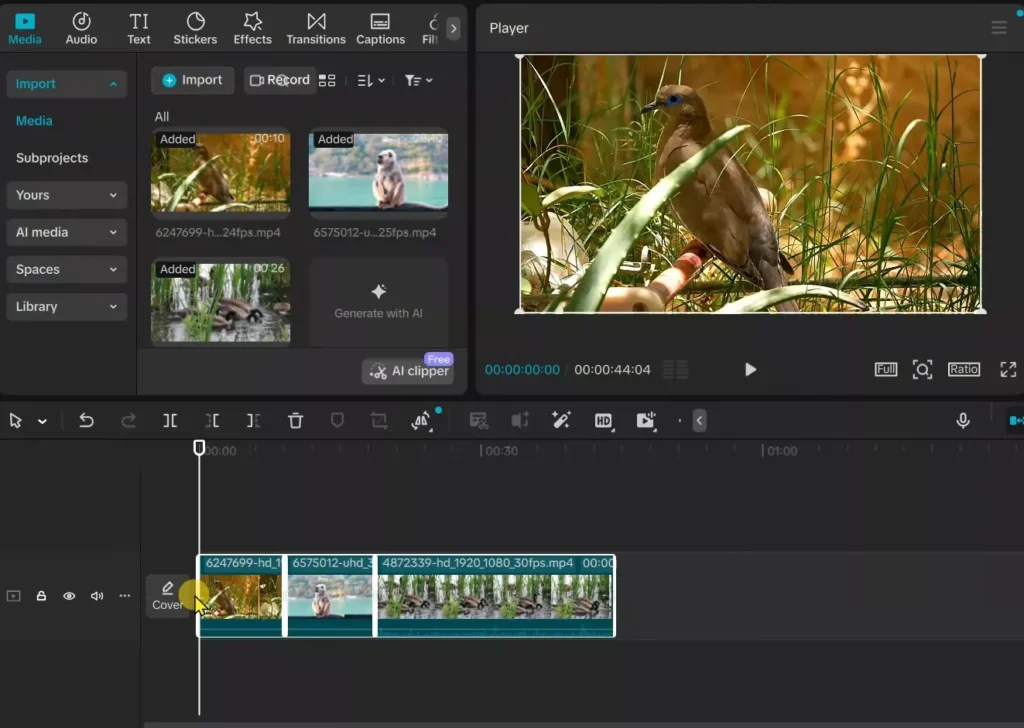
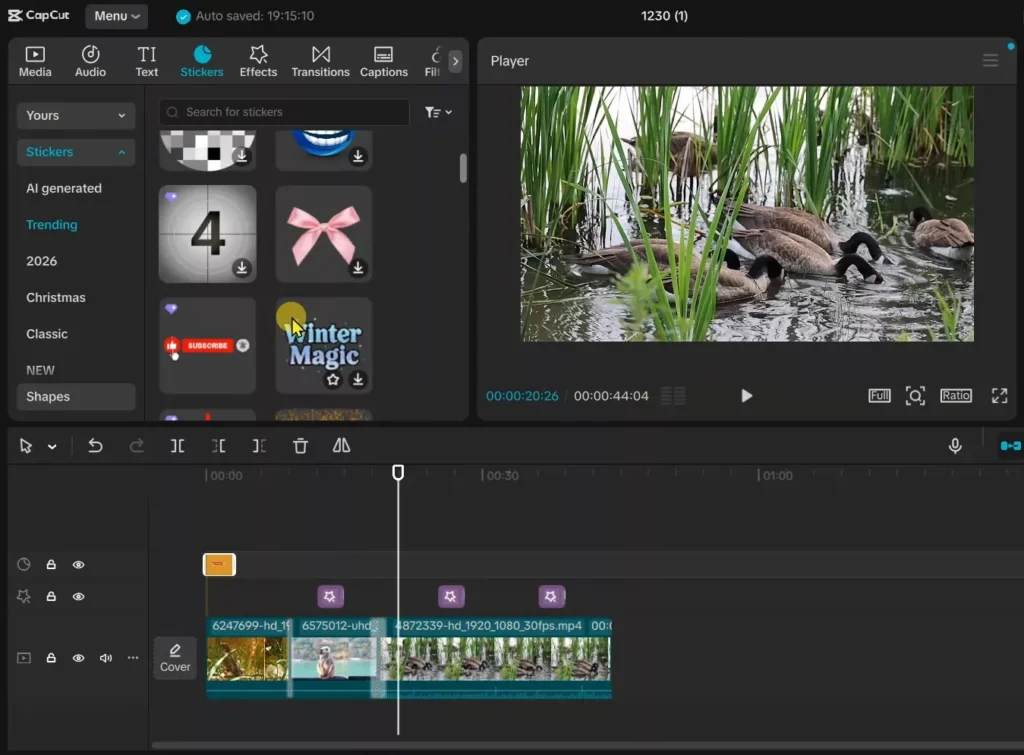
Edit away. Drop in Pro transitions. Add 4K effects. Slap on premium stickers. Timeline stays happy. No pop-ups yet. VPN hides your real spot. CapCut thinks you’re premium-ready. You save time. No subscription hunt.
Why bother? Free VPNs handle this light load. Pick one with no logs. Test speeds first. UK servers often fastest for India users.
Section 3: The Core Trick: Pre-Processing the Compound Clip
Export normally scans Pro stuff. It blocks you. We skip that. Force a background render instead.
- Select your full timeline.
- Press Ctrl + A.
- Everything highlights.
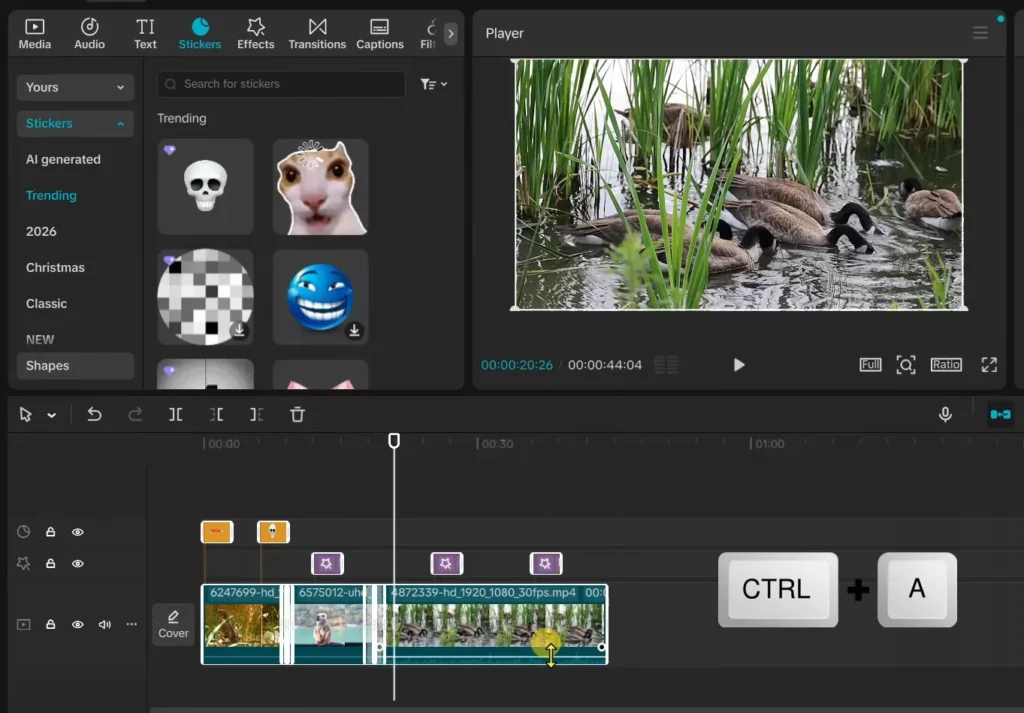
- Right-click.
- Choose Create Compound Clip.
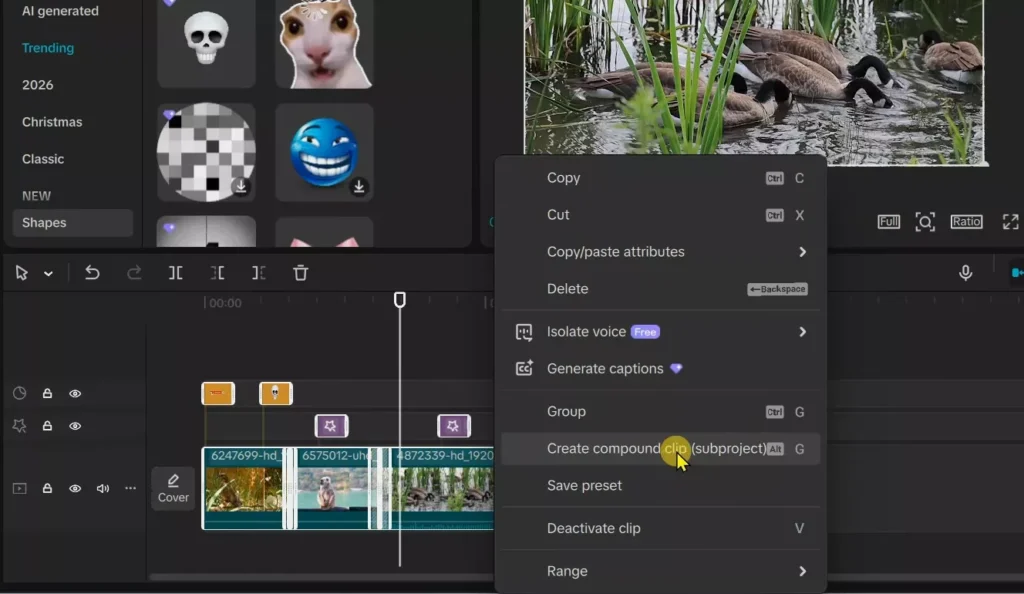
- It bundles layers into one.
- Like packing a suitcase.
- Right-click that new clip.
- Pick Pre-process Compound Clip.
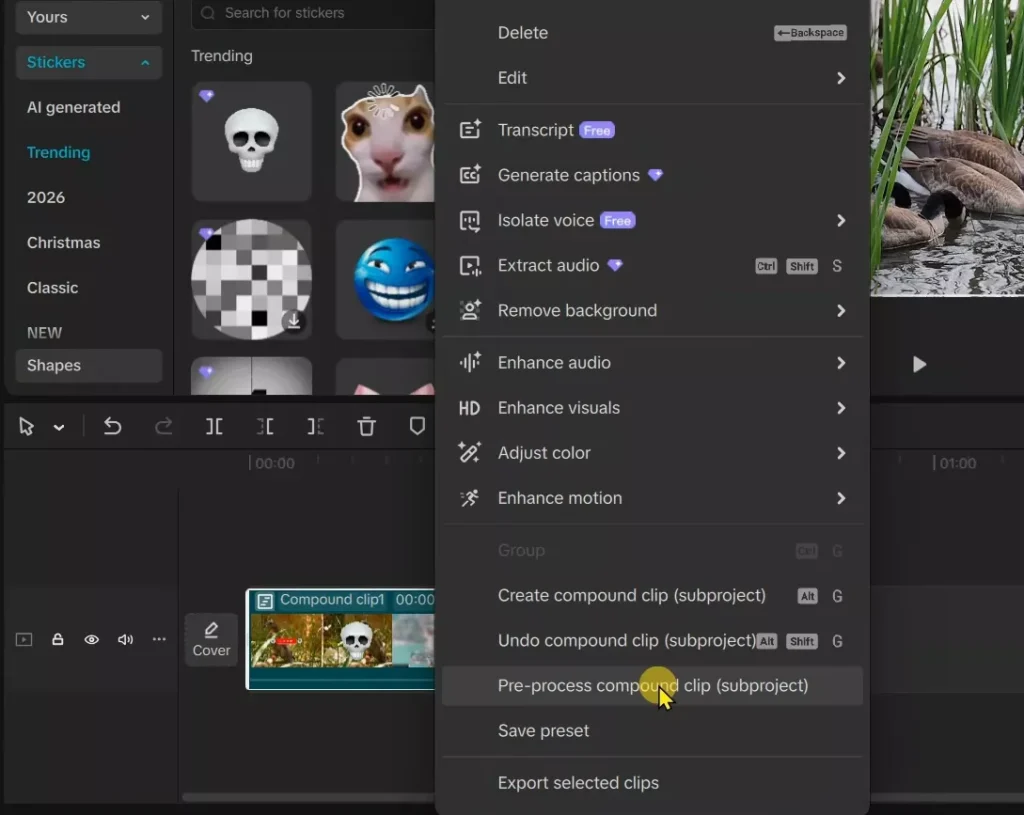
- A bar pops up.
- It climbs to 100%.
- Wait full.
- Don’t quit.
- CapCut renders your video here.
- Full quality. Into a secret cache spot.
- Playback gets buttery too. Smart hack.
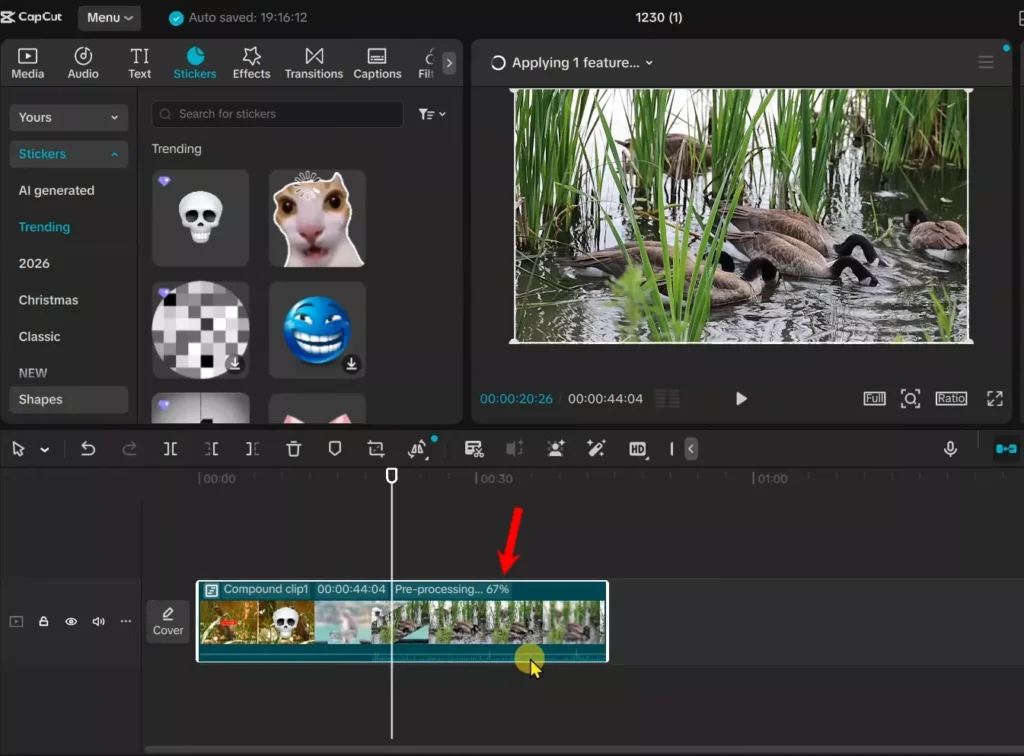
This step bakes in all Pro magic. Transitions blend. Effects stick. No loss. It’s like pre-cooking before the oven check.
Section 4: Locating and Retrieving the Rendered Video File
Your video hides now. Time to hunt it. CapCut stashes in app folders.
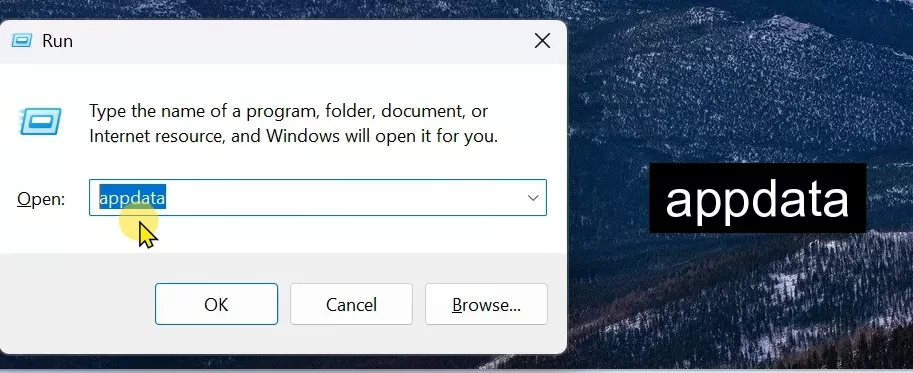
- Hit Windows key + R.
- Type %appdata%. Press Enter. Explorer opens.
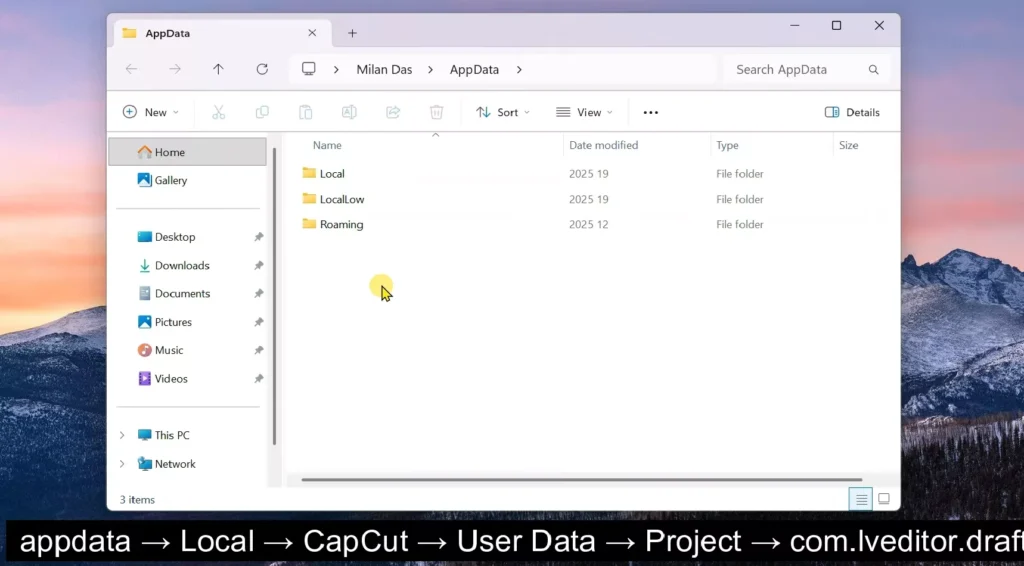
- Go Local. Find CapCut. Then User Data. Tap Project.
- Spot com.editor.draft folder. Open it.
- Match your project name or number.
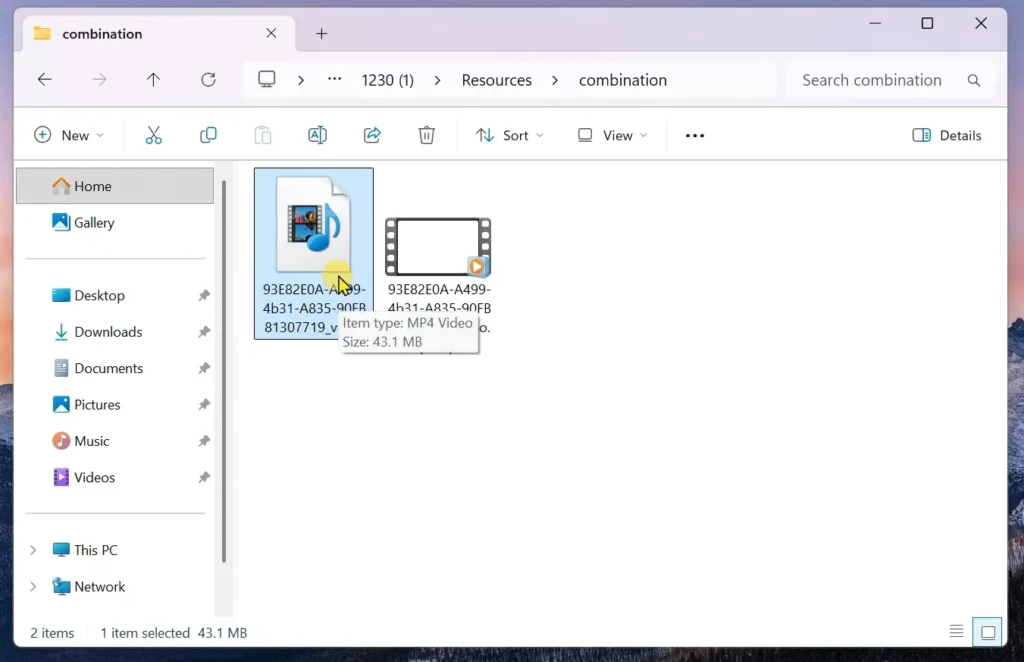
- Inside, hit Resources. Then combination.
Two files wait. Skip the alpha one. That’s transparency junk. Grab the .mp4. Your full 4K gem. Drag it out.
Path recap:
- %appdata% > Local > CapCut > User Data > Project
- com.editor.draft > [your project folder] > Resources > combination
- Pick .mp4 file (ignore alpha).
Copy to desktop. Safe spot. Label it clear. Done digging.
Section 5: Completing the Export Without Subscription Prompts
Back to CapCut. Import magic time.
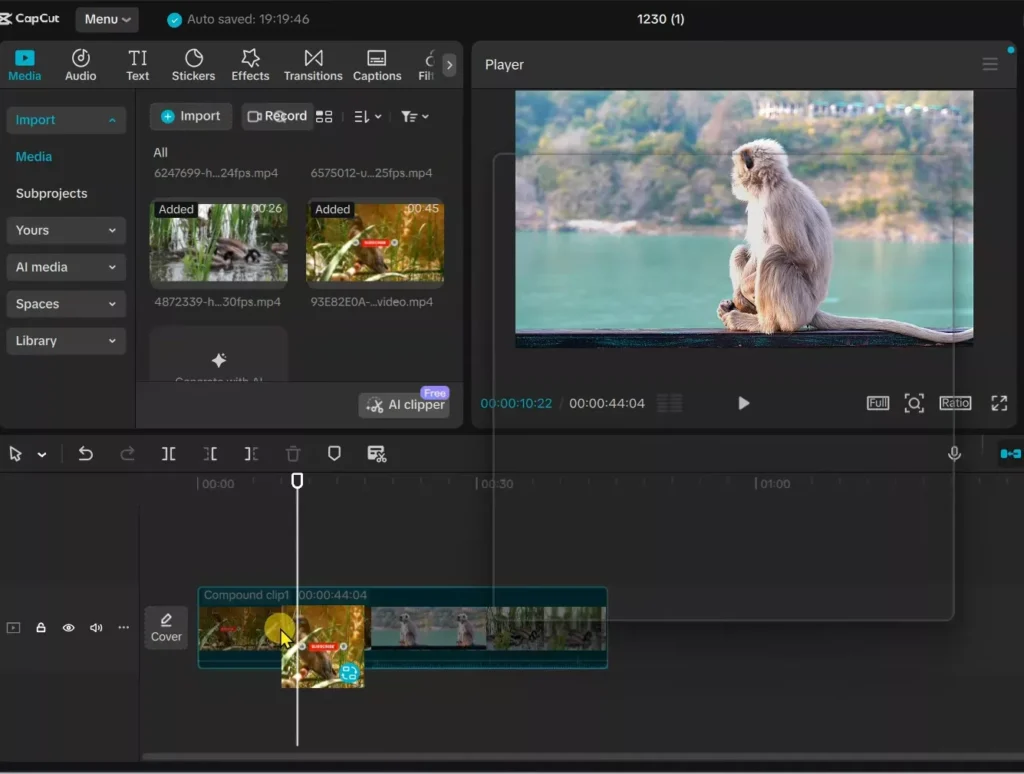
Drag that .mp4 into CapCut’s import box. It loads fast. Drag it to your timeline. Over the old compound clip.
Pop-up asks: Replace Clip? Click yes.
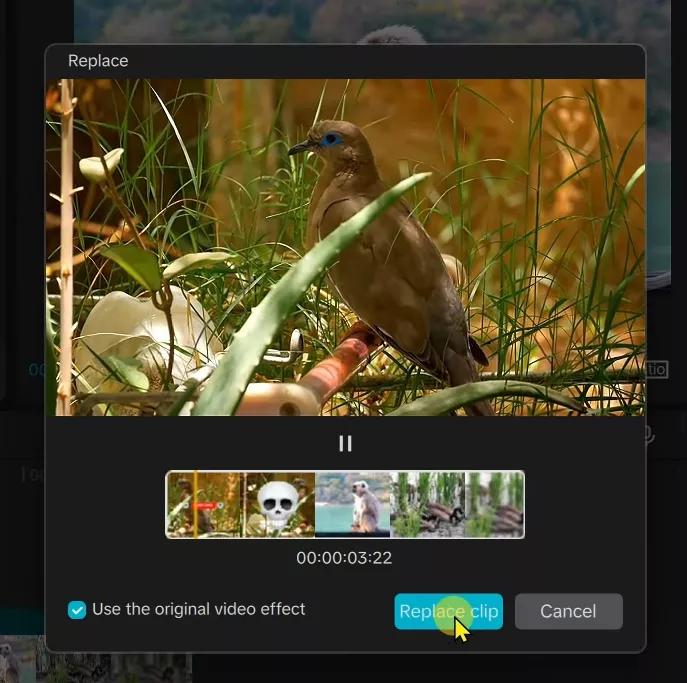
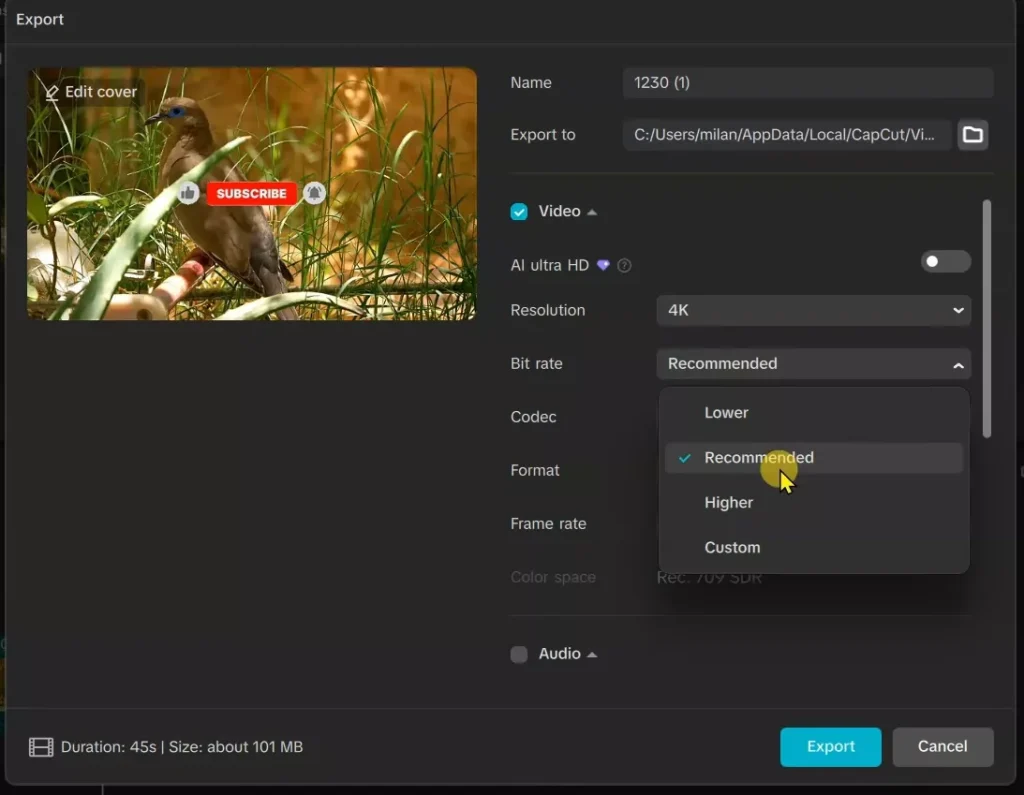
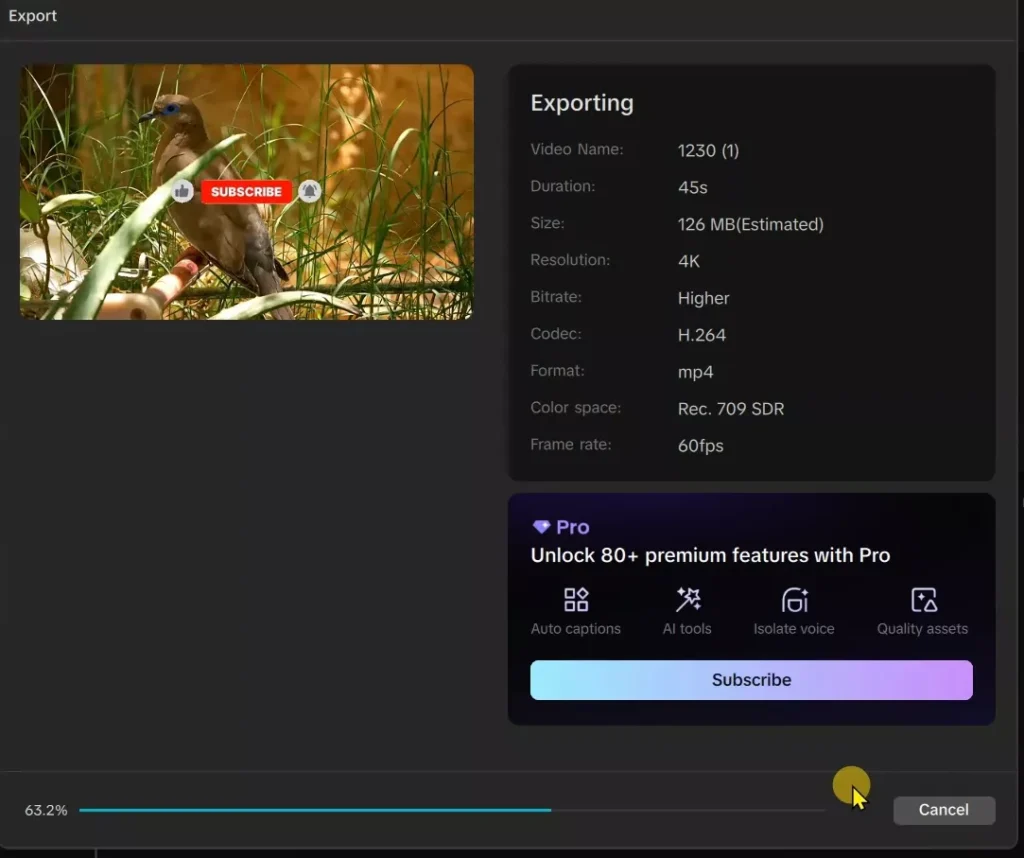
Timeline updates. One clean file now. No Pro flags. Hit Export. Pick 4K. 60fps. High bitrate. No watermarks. Saves perfect.
Test it. Play export. Quality holds. Pro looks intact. You win free.
Why replace? App sees basic clip. No scan trigger. Export flies free.
Is This Method Legal and Safe?
Yes — and that’s the whole point of this guide.
This method:
- Does not crack CapCut
- Does not modify app files
- Does not bypass payments with hacks
- Does not inject patched executables
What it does:
- Uses CapCut’s built-in rendering system
- Relies on temporary preview files CapCut creates on its own
- Exports a file you already rendered during editing
You are not stealing features. You are finalizing a video CapCut already processed.
No malware risk. No account bans. No sketchy downloads.
If you can play the video smoothly in preview, CapCut already did the heavy work.
Why This Trick Works (Simple Technical Explanation)
CapCut has two different systems:
- Playback Rendering – happens while editing
- Final Export Validation – checks for Pro assets
When you pre-process a compound clip, CapCut:
- Renders everything in advance
- Saves a full-quality MP4 to its cache
- Treats it as a normal video file, not an editable timeline
The export paywall only scans active Pro assets on the timeline.
Once replaced with a flat MP4, there’s nothing left to flag.
In short:
You bake the cake before the cashier checks the ingredients.
Common Errors & How to Fix Them
“Pre-process Compound Clip” Missing
- Make sure it’s a compound clip, not regular clips
- Select everything, then create compound clip again
- Update CapCut to the latest version
Render Stuck at 99%
- Wait longer (large 4K projects take time)
- Don’t minimize CapCut during render
- Close background apps (especially browsers)
Can’t Find the .mp4 File
- You are in the wrong project folder
- Check recently modified folders
- Ignore files with alpha in the name
Export Still Asks for Subscription
- You didn’t replace the compound clip
- You exported the original timeline, not the imported MP4
- Re-import and confirm Replace Clip
CapCut Won’t Load / Network Error
- VPN not connected
- Switch server (UK usually works best)
- Restart CapCut after VPN connects
Does This Work on Low-End or Older PCs?
Yes — but expect longer processing times.
Minimum recommended specs:
- 8GB RAM (16GB is smoother)
- SSD preferred (HDD works but slower)
- Any modern i5 / Ryzen 5 or better
Tips for weaker systems:
- Lower preview resolution
- Close other apps
- Pre-process in smaller chunks if needed
The final export is fast because the work is already done.
CapCut Versions & Future Updates
This method works because it relies on core workflow logic, not a bug.
Tested on:
- Recent PC versions (2025–2026 builds)
If CapCut updates:
- Look for pre-render / cache behavior
- As long as compound clips exist, this method likely survives
If it ever breaks, it’ll be because CapCut removes local preview rendering — which would hurt normal users too.
This Method vs Cracked CapCut
| Method | Risk | Watermark | Updates | Legal |
|---|---|---|---|---|
| This guide | None | No | Yes | Yes |
| Cracked version | High | Maybe | No | No |
| Modded APK | Very High | Often | No | No |
Cracks break. This doesn’t.
Frequently Asked Questions
Will CapCut ban my account?
No. You’re not altering servers or files.
Does this work in 2026?
Yes, as of current PC versions.
Can I export 4K 60fps?
Yes — whatever quality you pre-rendered.
Does this work without a VPN?
Depends on your country. In India, VPN is required.
Does this work on Mac?
No. Mac handles rendering differently.
A Quick Ethical Note
If you rely on CapCut professionally and make money from it, consider supporting the developers with a subscription later.
This method is perfect for:
- Learning
- Testing Pro features
- Occasional projects
Use it responsibly.
Conclusion: Legal Access Through expert CapCut tips
You unlocked CapCut Pro on PC for free. Key steps: Fix region and VPN. Make compound clip. Pre-process render. Grab cache .mp4. Replace and export.
This leans on CapCut’s own tools. No mods. No risks. Saves subscription cash. Works in 2026 too.
Try it now. Edit bold. Share results. Got stuck? Drop a comment. Happy creating!
If this worked for you:
- Drop your CapCut version
- Share which VPN server worked
- Mention any issues you hit
That helps keep this guide updated — and helps others win too.