

The zoom 1 and zoom 2 animation effects keep dissapearing. Sometimes they are there in the animatioins section but very rarely and this has been going on for a while. Is there a fix for this? Or if not I hope capcut can fix this. This is only a problem on capcut PC as far as im aware of.

Hi,
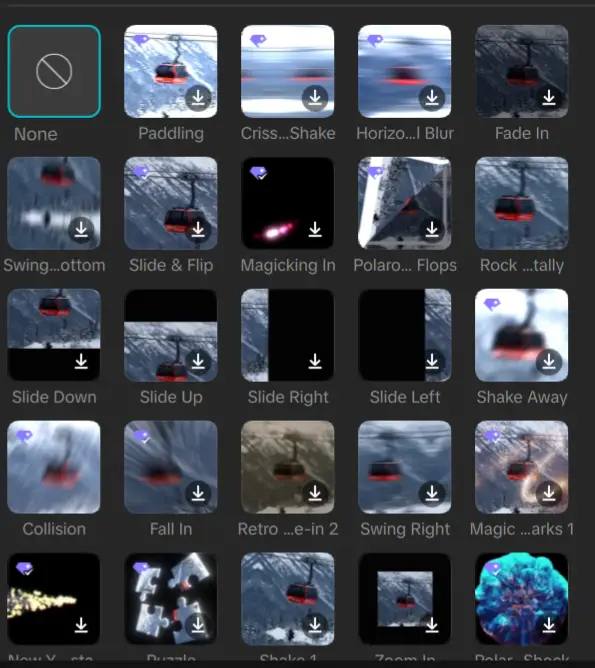
You are in the Animations → In section of CapCut, and some effects (like Zoom 1 / Zoom 2) randomly disappear. This is a pretty common CapCut issue, and it is caused by one of these:
-
Internet-dependent effects
-
Many animations aren’t stored locally.
-
If your connection is weak, some effects won’t load.
-
That’s why they “sometimes” appear.
-
-
Region-based effect library
-
CapCut rotates or limits effects based on region.
-
Using a VPN can change which effects appear each time you connect to VPN.
-
-
App version bugs
-
Certain updates remove, rename, or reorganize animations.
-
Zoom 1/2 is merged into other zoom effects.
-
-
Corrupted cache
-
CapCut sometimes fails to load the full animation list due to cached data glitches.
-
Fixes That should work for you:
Clear CapCut Cache
-
Open CapCut
-
Go to Settings
-
Tap Clear cache
-
Fully close the app
-
Reopen it
If on phone:
-
Go to phone Settings → Apps → CapCut → Storage → Clear Cache
Update CapCut
Make sure you're on the latest version. Older versions often hide or glitch effects.
Switch Internet (WiFi ↔ Mobile Data)
Because many animations are cloud-based, switching networks often forces them to reload.
Use a VPN (Region Reset Trick)
Our forum members have mentioned that they have recovered missing animations by:
-
Turning on a VPN
-
Setting region to US / UK
-
Reopening CapCut
If Nothing Works then Reinstall CapCut
Uninstall → Restart device → Reinstall
This refreshes the animation database.
Zoom 1 & Zoom 2 may be renamed
In recent versions of CapCut:
-
Replaces “Zoom 1 / Zoom 2”
-
Moves them under different names like:
-
Zoom In
-
Camera Zoom
-
3D Zoom
-
Smooth Zoom
-
Try searching “Zoom” in the animation search bar.
Quick Alternative: Manual Zoom Effect
If Zoom 1/2 keeps disappearing, you can recreate it:
-
Select clip
-
Add keyframe at start
-
Go to end of clip
-
Increase Scale slightly (105–115%)
-
Add easing for smooth motion
This gives you the same cinematic zoom effect.