

i was logged out yesterday and can't log in anymore. support tells me im on multiple devices. im using my computer here in my office and my computer in our house and to my phone. should i wai
t for 24 hours? a bit weird because my account was still logged in on my desktop. who ever experienced this. can you tell me how long you've waited to you get back on capcut app?
by the way im a pro plan subscriber

Hi,
This issue has been reported by our other users as well.
What is going on and why this happens
CapCut uses automated security throttling tied to:
-
Multiple login attempts in a short time
-
Multiple devices + different IP locations (office + home + mobile data looks like different locations)
-
Sometimes TikTok-linked accounts make this worse
Even if:
-
You were still logged in on desktop
-
You did nothing “wrong”
CapCut security system can still flag it as suspicious activity and apply a temporary restriction.
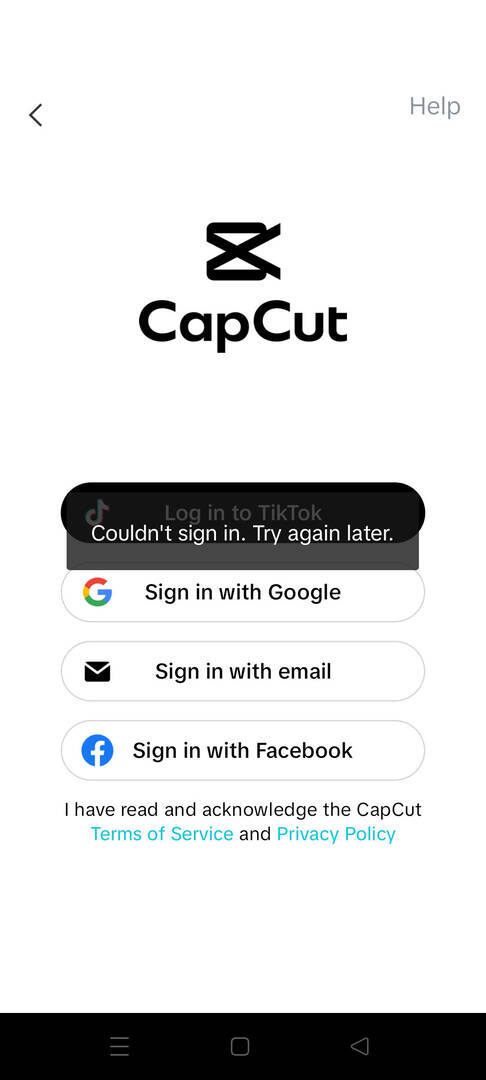
This is why you see below kind of error:
- Account Temporarily Restricted Due to Multiple Login Attempts
- Couldn’t sign in. Try again later.
How long do people usually wait?
Based on real user experiences including Pro users:
-
Most common: 24 hours
-
Sometimes: 12–48 hours
-
Rare cases: Up to 72 hours (this happens if people keep retrying logins)
Important point:
Every failed login attempt resets the timer. So repeatedly trying to log in can make it last longer.
What you should do right now as best practice
Since you are already restricted:
-
Stop all login attempts on:
-
Phone
-
Home computer
-
Office computer
-
-
Wait a full 24 hours minimum (48 hours to be safe)
-
When you try again:
-
Use ONE device only
-
Prefer the device that was still logged in before (desktop)
-
Use the same network/IP if possible
-
-
If you are logging in with TikTok → try email login instead (or vice versa)
Why it’s weird you stayed logged in on desktop
That part actually makes sense:
-
Existing sessions stay valid
-
New login requests are what get blocked
So CapCut lets the old session live but blocks new authentication events.
If it doesn’t unlock after 48 hours
Since you are a Pro subscriber, you have more leverage:
-
Contact CapCut support again
-
Mention clearly:
-
You are Pro
-
You use 3 devices max
-
This is normal usage, not account sharing
-
-
Ask for a manual unlock