

i cant log in to my capcut account and i have the pro subscriptiojn and very important video files in it. i've tried different devices. and i need immdediate access because i have alot of work to do to it still.

Hi,
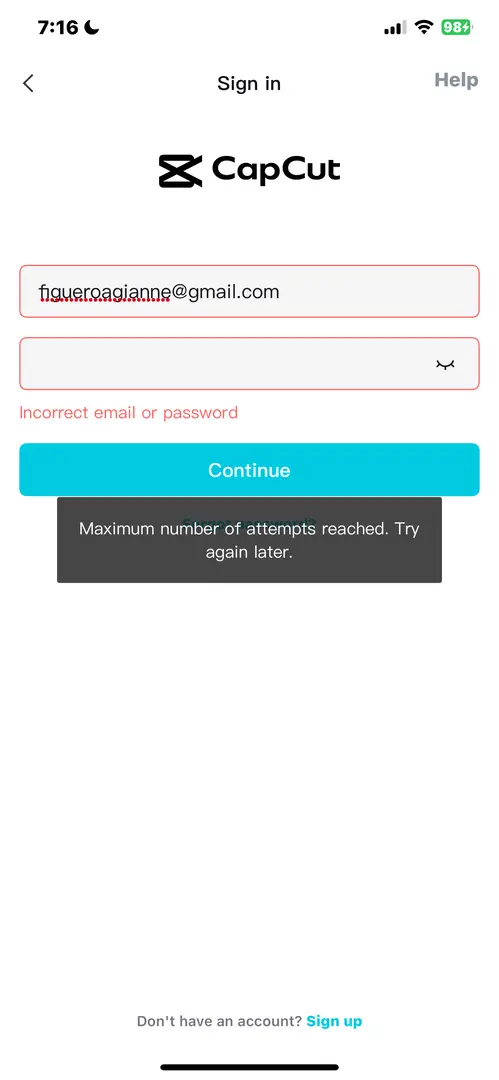
We understand it is important especially with CapCut Pro and crucial files on the line. The message you are seeing means CapCut has temporarily locked your account for security reasons, and trying more right now can actually extend the lock. Please follow the guidelines below which is the fastest, safest way to regain access
What is happening in simple terms?
-
Too many failed login attempts → CapCut triggers a security lock
-
This lock is account-based, not device-based (that is why other devices didn’t help)
-
The lock cannot be bypassed by retrying or reinstalling
First thing to do which is very important
Stop trying to log in
Each attempt can reset the cooldown timer.
Fastest ways to regain access
Wait for the cooldown
-
Typical lock time: 30 minutes to 24 hours
-
Users in our forum have reported that it unlocks around 1–2 hours
-
Do not attempt login during this time
After waiting:
-
Restart the app
-
Try logging in once
-
If possible, use “Forgot password” instead of normal login
Reset your password (recommended)
Even if you think your password is correct.
Steps:
-
Open CapCut → Sign in
-
Tap Forgot password
-
Check Spam / Promotions in Gmail
-
Set a new, strong password
-
Wait 10–15 minutes
-
Log in once
Use the same login method you originally used
Very important:
-
If you signed up with Google, you must tap “Continue with Google”
-
If you signed up with email/password, don’t use Google/Facebook
-
Mixing methods causes “incorrect password” errors
If you need urgent manual help (Pro + files)
Because you have:
-
A Pro subscription
-
Critical project files
You should contact CapCut support directly and request account unlock. You can reach out to CapCut support here: [email protected]
Important things to note
-
Your files are not deleted
-
Projects are safe on CapCut’s servers
-
Your Pro subscription is tied to the account and will restore once you log in
Can you tell us more information:
-
How you originally signed up (Google / email / Facebook / TikTok)
-
Roughly how long ago you last tried logging in
We can then give you the exact best next step to get you back in as fast as possible.